
Your CAD library.
Built for parts, not files.
Drop a STEP, IGES, STL, SolidWorks model, drawing, or photo. We tag the kind, group by date or project, keep every revision, and quote any selection in one click.
Free 10 GB included with every account.
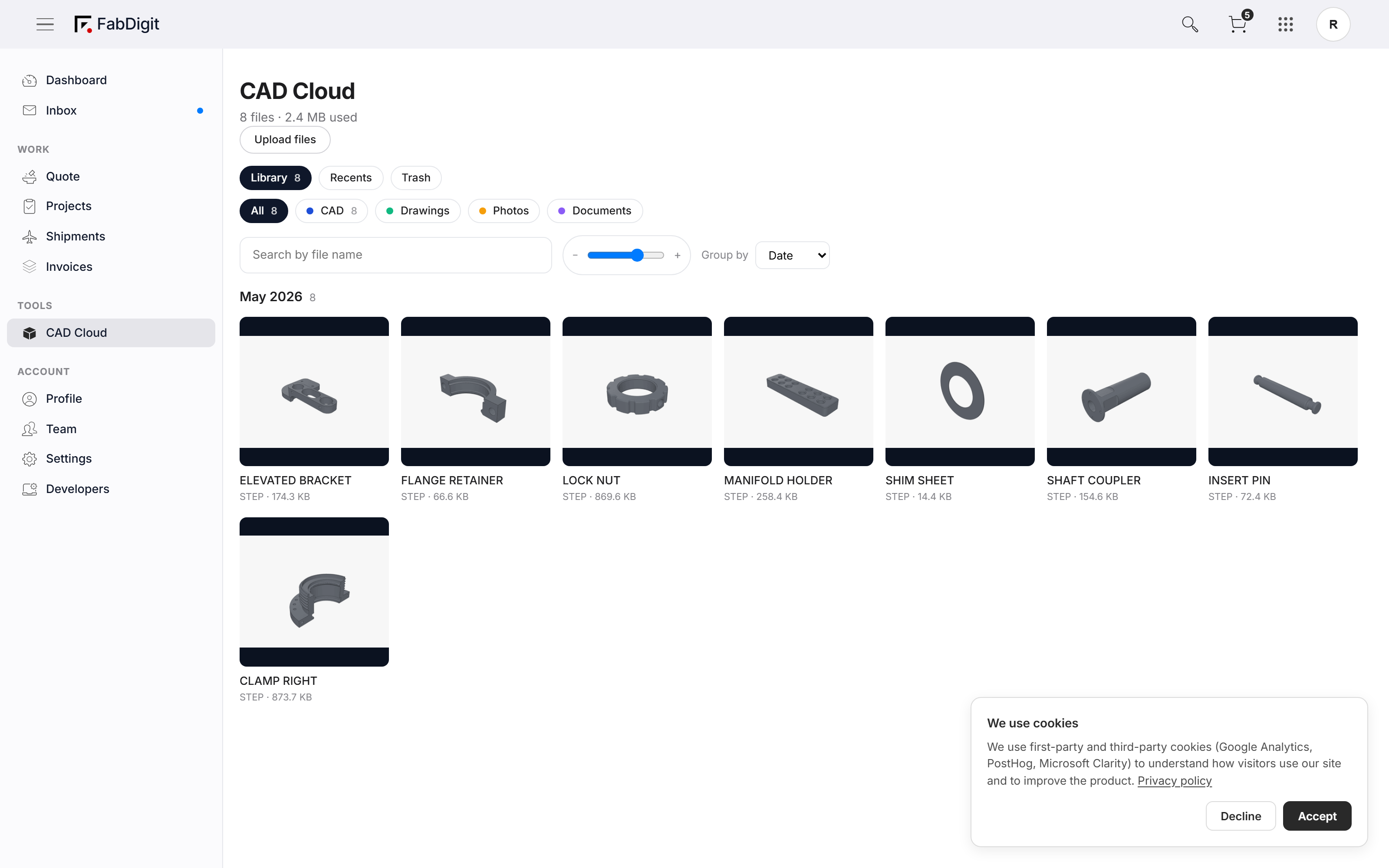
Files that know they’re parts.
Every upload is classified the moment it lands — CAD model, drawing, photo, or supporting doc. The Library filter chips narrow to the kind you need; the rest stays one click away. No more "where did I put that STEP file" mid-quote.
Top toolbar — All / CAD / Drawings / Photos / Docs filter chips with live counts.
Every version of every part. Diffed in place.
Drop v2 of a part with the same filename — we don’t overwrite it. The Cloud keeps every revision under one logical file, so the project team always sees the latest by default but the audit trail is one click away. Side-by-side STEP / drawing diffs ship with each revision.
Detail panel — revision history with v1 / v2 / v3 side-by-side, who uploaded, when.
Group by date, kind, or project.
iCloud Photos for CAD: scroll by month for "what I uploaded last week", group by kind for "show me only the STEPs", or pivot by project to see every file tied to a specific RFQ. Sticky section headers keep the context anchored as you scroll.
Group-by switcher in the toolbar — Date / Kind / Project with sticky section headers.
Drag a file onto any page. It lives in the Cloud.
Drag a CAD file onto the Cloud — or onto a quote spec row, or the dashboard, or any workspace page — and we register it in the Cloud, kick off geometry extraction, and surface it everywhere it’s relevant. One upload, every screen.
Site-wide drop overlay — drop zone highlights, progress bar lands per file.
Select parts. Get a quote on all of them.
Tick five parts in the Library, hit "Quote these parts," and they land in a new RFQ pre-populated and ready to configure. The same multi-select bar carries Download, Move to Project, and Trash for standard library hygiene.
Sticky bottom action bar — "Quote these parts (5)" + Download / Move / Trash.
Stop emailing CADs around.
Sign in, drop your parts, and your team picks up where you left off.